# Email notifications
Snapshot allows you to subscribe to an e-mail notification system which helps you to stay up to date with spaces you follow.
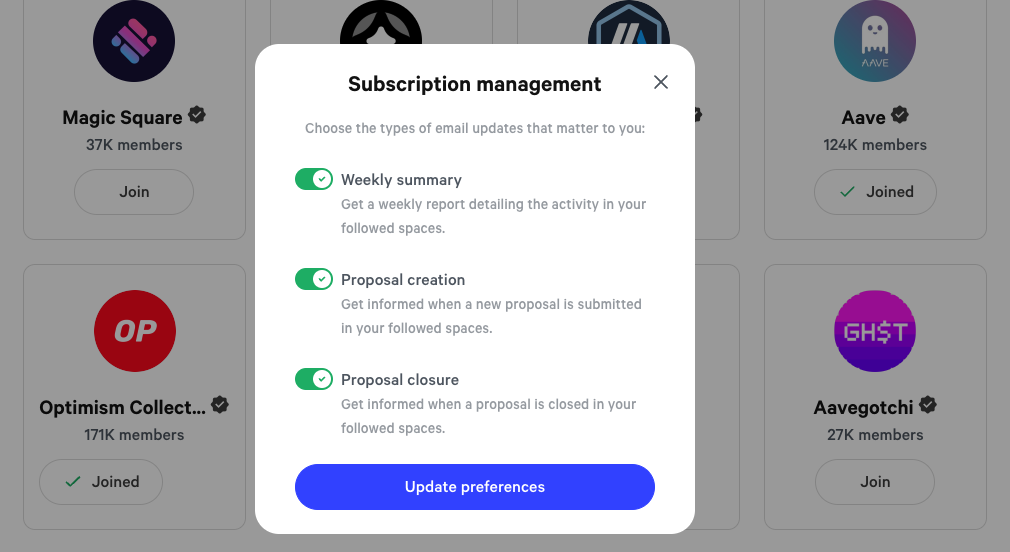
You can opt in to receive the following notifications:
* Weekly digest - summary of spaces' activity over the previous week
* New proposal - new proposals in spaces you follow
* Closed proposal - list of closed proposals with their results
## How to subscribe to the e-mail notifications?
### 1. Connect your account
Connect your wallet to Snapshot by clicking the **Connect wallet** button in the top bar.
### 2. Open profile menu
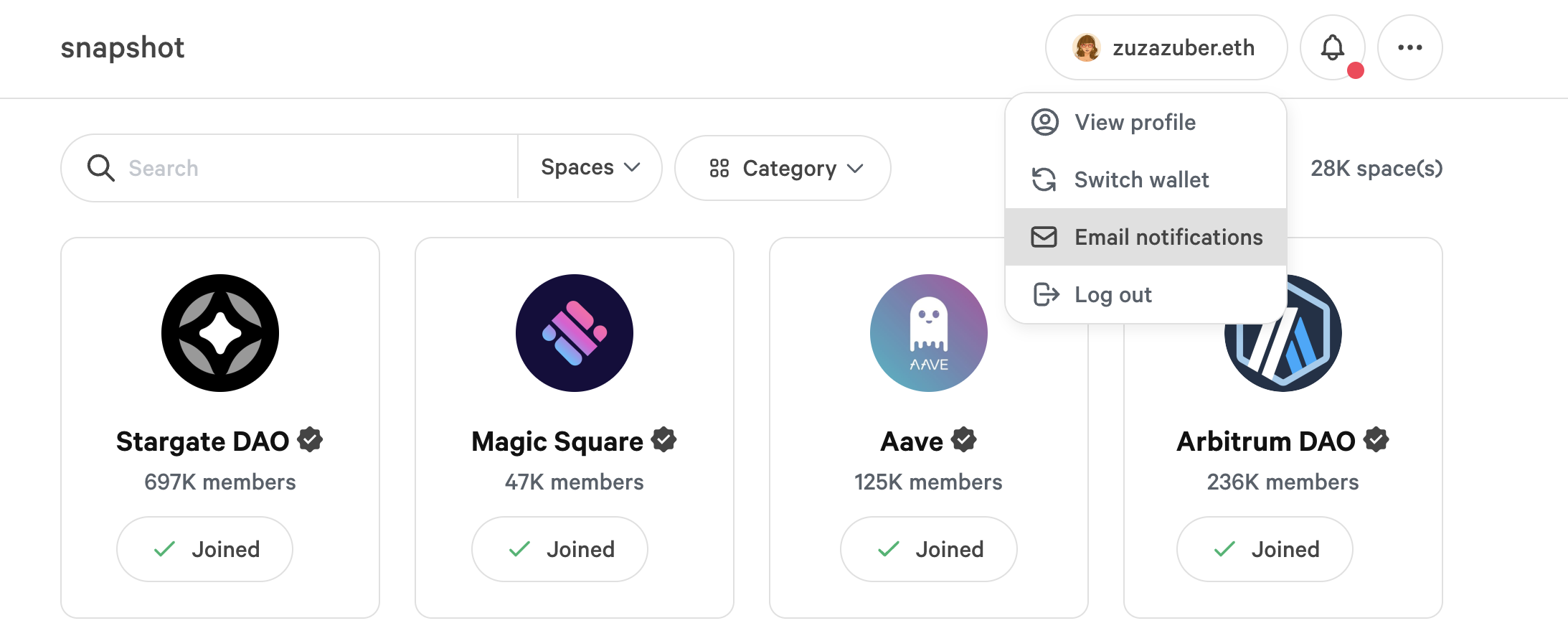
Click on your account displayed in the top bar and select ✉️ **Email notifications:**
### 3. Subscribe with your e-mail address
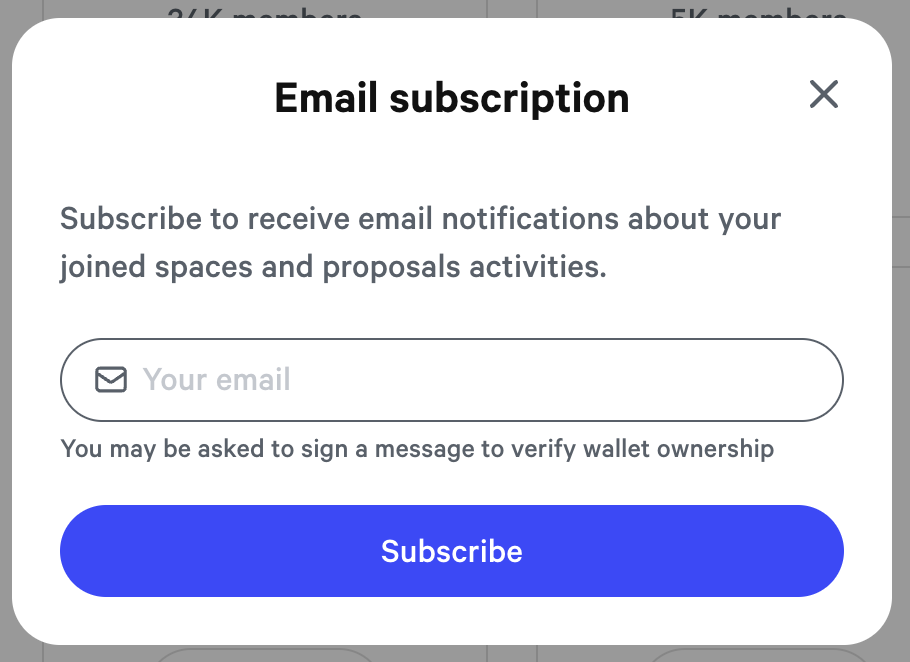
Type your e-mail address and click **Subscribe.** You will be asked to sign a message in your wallet provider extension.
### 4. Confirm subscription
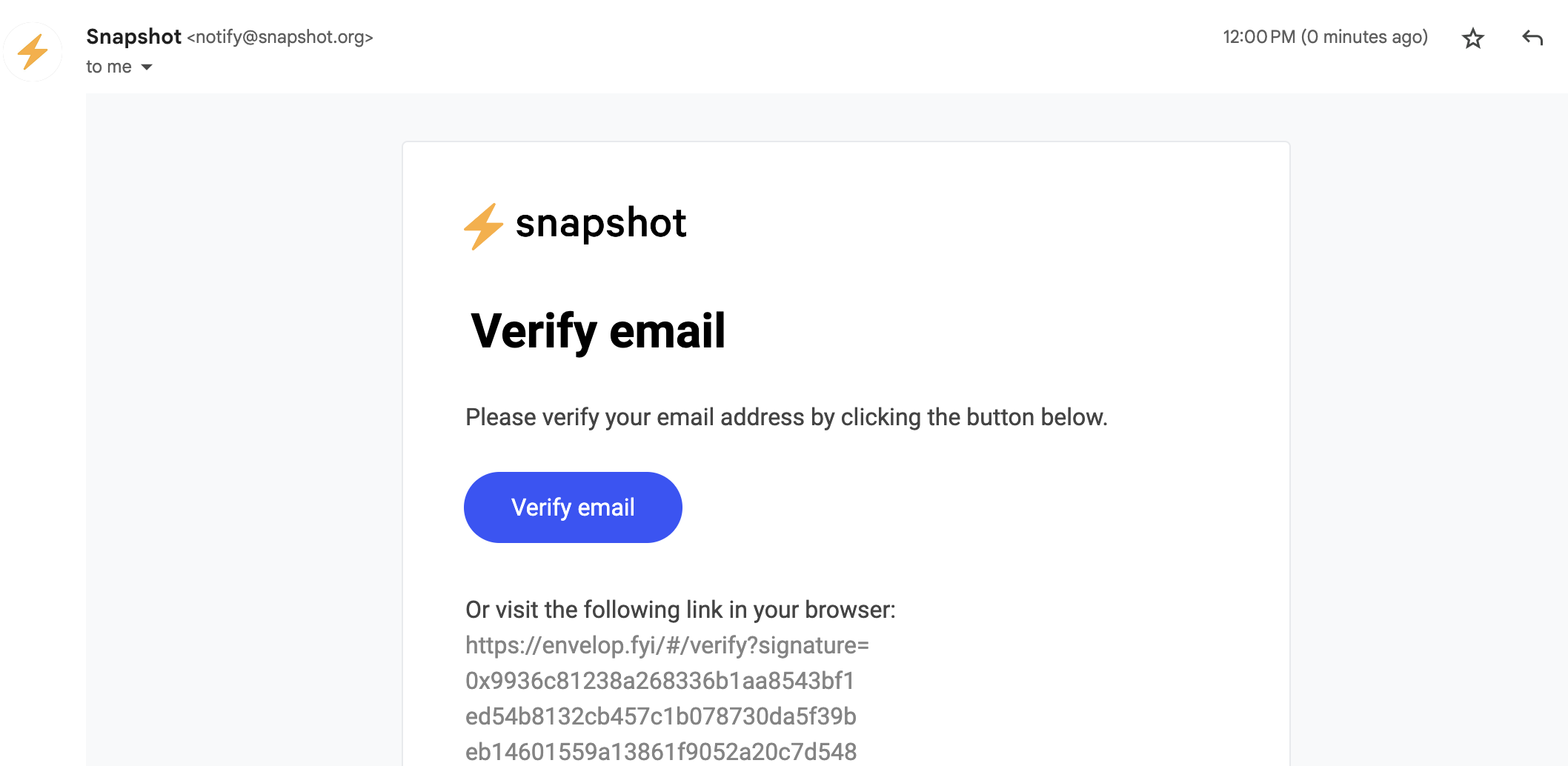
After signing the message and receiving the confirmation of a successful subscription head to your mailbox and verify your e-mail:
A new tab will open with a successful verification message.
### 5. Enjoy!
That's it! :tada:
Notifications are sent out every Monday on a weekly basis.
{% hint style="info" %}
You can unsubscribe from the notifications at any moment.
{% endhint %}
## Manage subscriptions
You can easily opt-in and out of the available notifications.
Click on your profile name in the top bar and select **Email notifications:**
A new pop-up window will open where you can toggle the different options:
## How to unsubscribe?
You can easily unsubscribe via the link in each weekly digest or proposal-related notification email.
Head to your inbox and find an email from the Snapshot subscription, apart from the initial verification message. Scroll down and find the **Unsubscribe** link.
You'll be redirected to a page informing you that you have successfully unsubscribed from the notifications.
.png?alt=media)