

Who can create a proposal?
Space controller, admins, authors, and users who are eligible according to the proposal validation strategies defined in the space settings.Create a proposal
- Head to the space which you wish to create your proposal for.
- Connect with the wallet provider - make sure the connected wallet is where you hold the tokens relevant to the specific space.
-
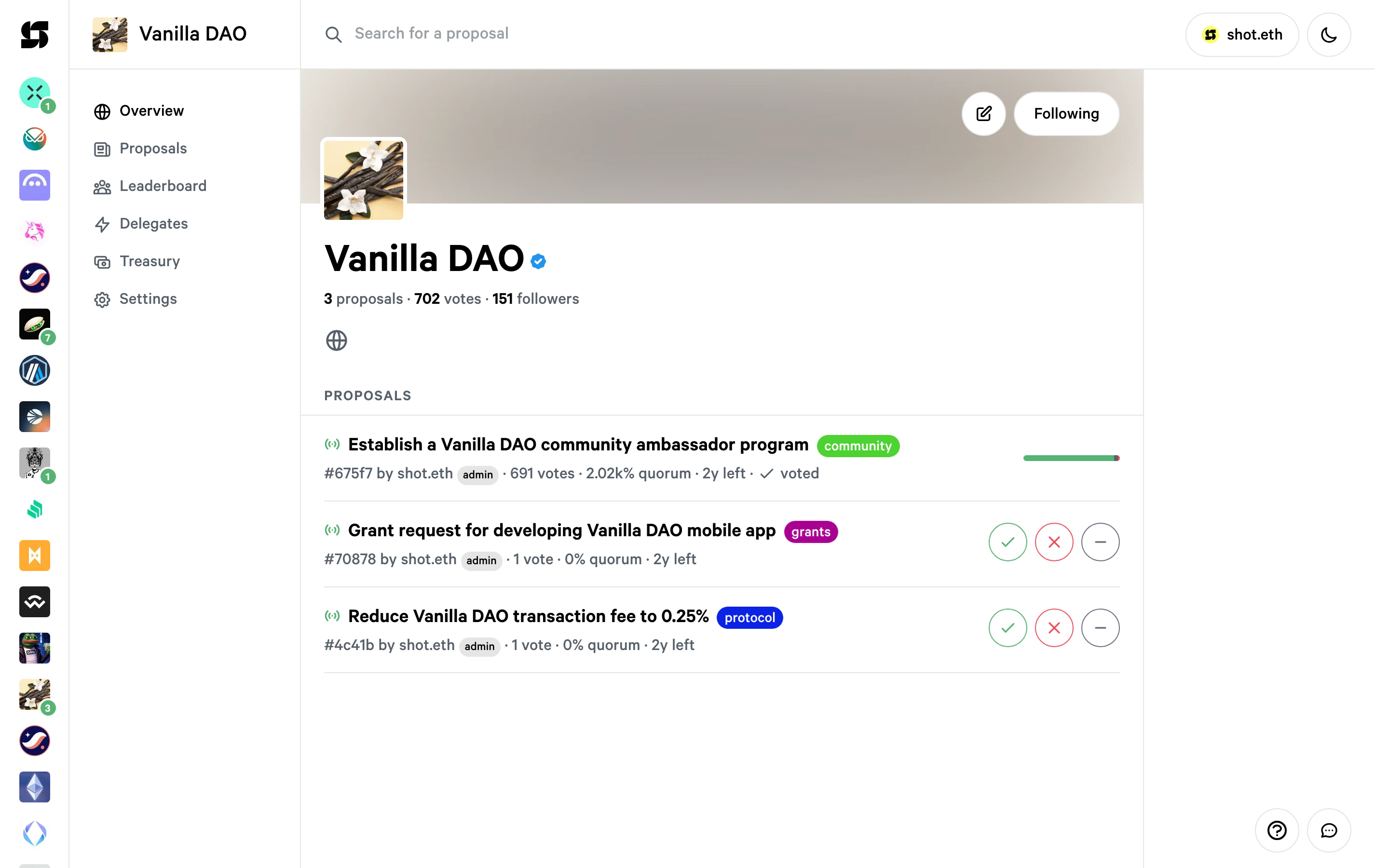
Click the pencil icon in the top-right corner of the space page to start a new proposal:
-
The proposal editor opens with a two-column layout. On the left, fill in the following fields:
- Title (required)
- Body (optional, markdown supported - you can switch between markdown and visual editor)
- Discussion link (optional)
- Execution (if the space has a treasury configured)
On the right sidebar, configure:
- Voting system (e.g. Basic voting, Single choice, Weighted, etc.)
- Choices (pre-filled with For / Against / Abstain for basic voting)
- Labels (if the space has labels configured)
- Timeline: set the start and end dates for voting. Make sure you allow enough time for users to vote.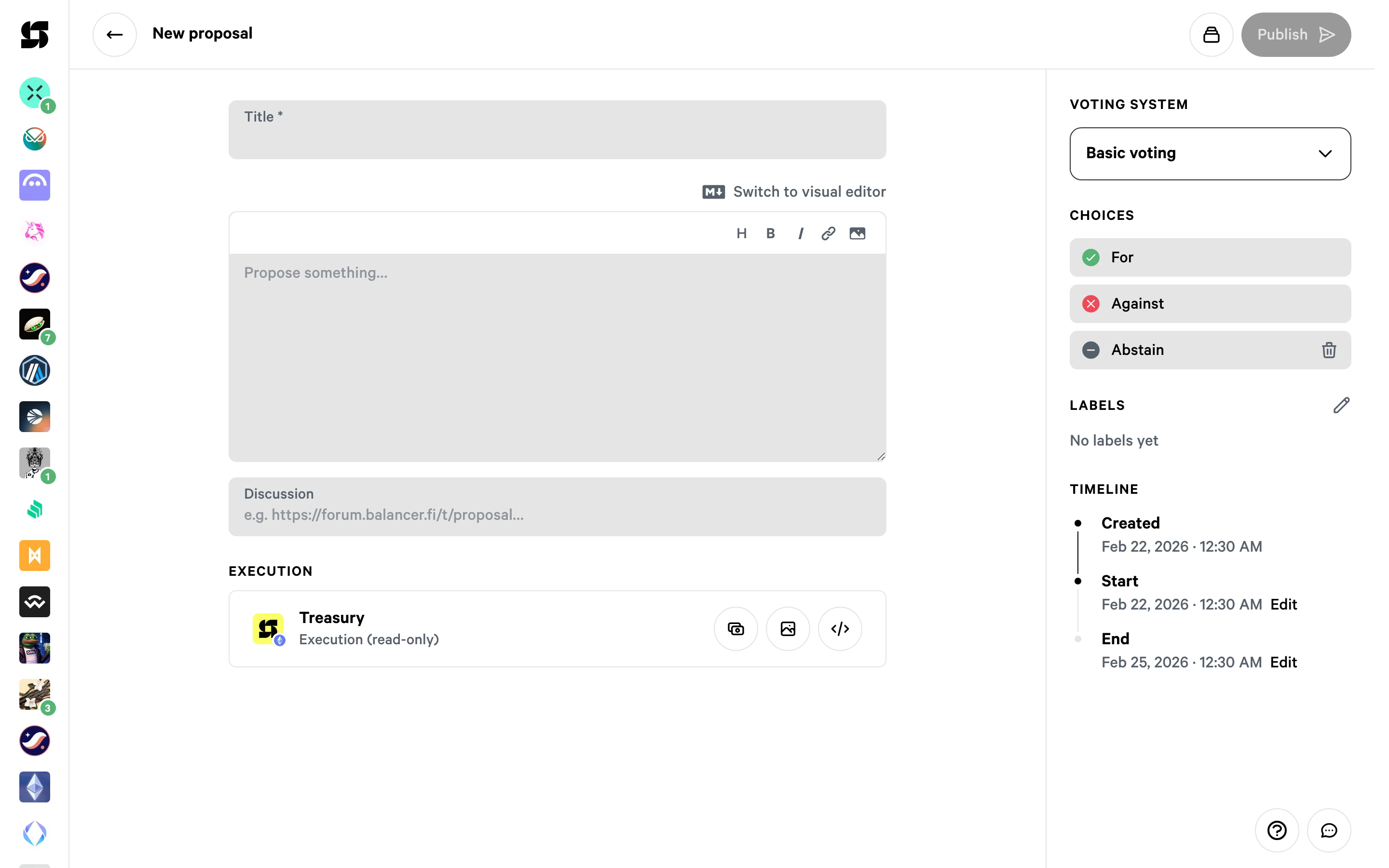
-
Click
Publishin the top-right corner - and that’s it! You can see your proposal in the proposals list on the space page.
Snapshot block number
When you create a proposal by default the snapshot block number will be populated with the latest block synced from our node.Proposals limitations
- Each proposal’s description is limited to 10,000 characters. With the Snapshot Pro plan, the limit increases to 50,000 characters.
- One address can have a maximum of 20 active proposals at a time, across multiple spaces.
- Each space has a limit on the number of proposals created daily and monthly:
Learn more about Space verification and flagging in badges-and-warnings.
- You can combine up to 4 voting strategies. The limit also applies to multi-chain strategies. (Pro spaces can add up to 12 strategies)
- All testnet spaces will have the same proposal limits as a Verified space
- Can add up to 10 choices on a proposal (Pro spaces can add up to 1000 choices)